AI Draw.io Diagram Generator
Describe your diagram in plain English and Diagramly's AI produces an editable draw.io diagram on a familiar canvas.
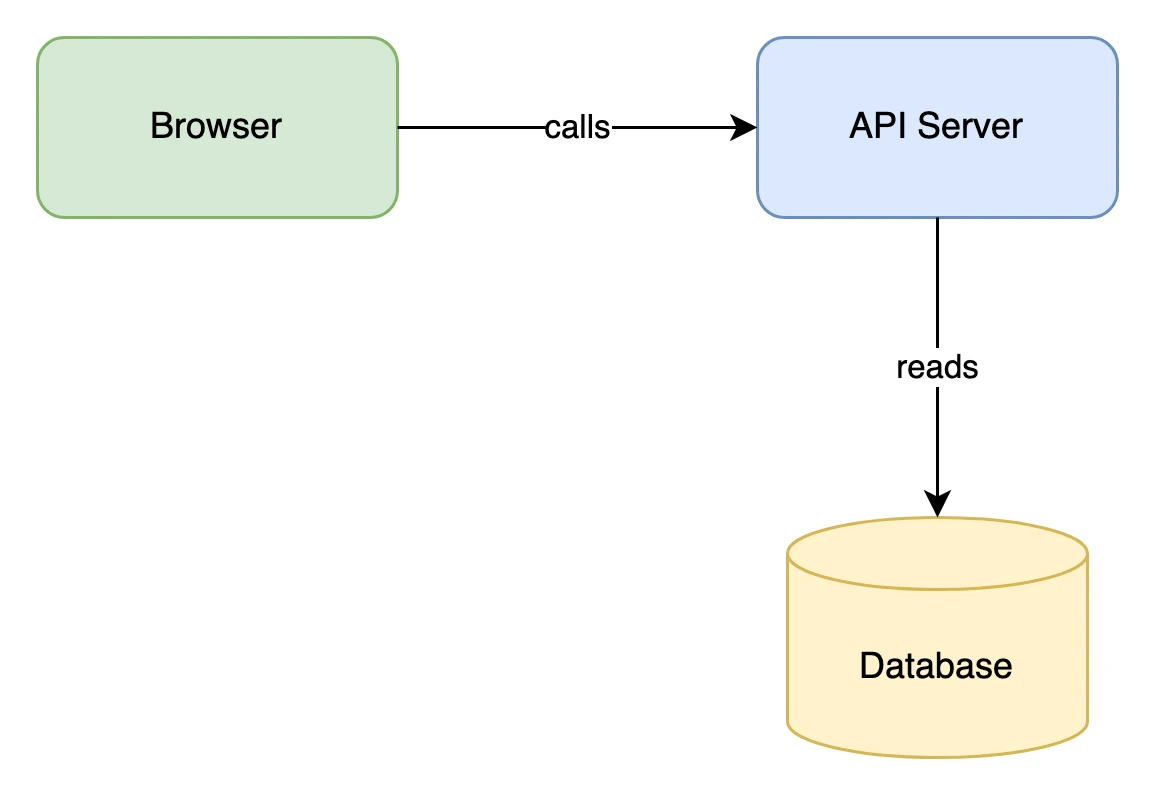
How it works
- Step 1Describe your diagram
Say what you want to draw in plain English.
- Step 2Generate with AI
Diagramly drops the shapes and connectors on a draw.io canvas.
- Step 3Edit & export
Move things around, then download the .drawio file.
Examples
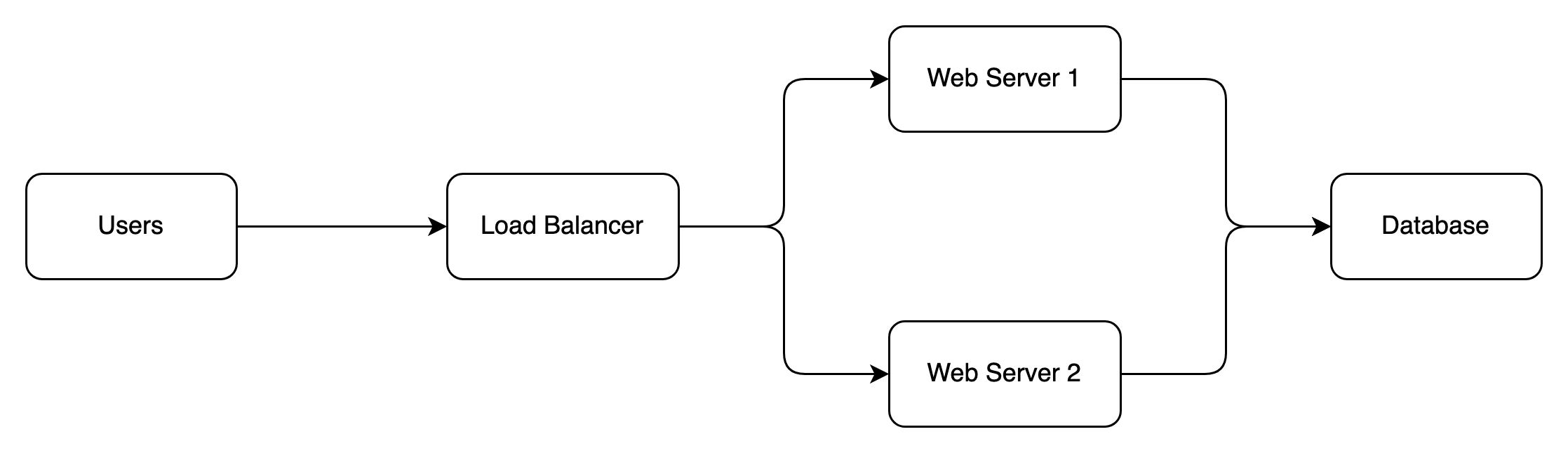
View Draw.io source
<?xml version="1.0" encoding="UTF-8"?>
<mxfile host="app.diagrams.net" modified="2025-08-24T00:00:00.000Z" agent="Claude" version="24.2.5">
  <diagram name="Cloud-Architecture" id="cloud-arch">
    <mxGraphModel dx="1422" dy="794" grid="1" gridSize="10" guides="1" tooltips="1" connect="1" arrows="1" fold="1" page="1" pageScale="1" pageWidth="900" pageHeight="400" math="0" shadow="0">
      <root>
        <mxCell id="0" />
        <mxCell id="1" parent="0" />
        <mxCell id="2" value="Users" style="rounded=1;fillColor=none;strokeColor=#000000;whiteSpace=wrap;html=1;" vertex="1" parent="1">
          <mxGeometry x="40" y="150" width="100" height="50" as="geometry" />
        </mxCell>
        <mxCell id="3" value="Load Balancer" style="rounded=1;fillColor=none;strokeColor=#000000;whiteSpace=wrap;html=1;" vertex="1" parent="1">
          <mxGeometry x="240" y="150" width="110" height="50" as="geometry" />
        </mxCell>
        <mxCell id="4" value="Web Server 1" style="rounded=1;fillColor=none;strokeColor=#000000;whiteSpace=wrap;html=1;" vertex="1" parent="1">
          <mxGeometry x="450" y="80" width="110" height="50" as="geometry" />
        </mxCell>
        <mxCell id="5" value="Web Server 2" style="rounded=1;fillColor=none;strokeColor=#000000;whiteSpace=wrap;html=1;" vertex="1" parent="1">
          <mxGeometry x="450" y="220" width="110" height="50" as="geometry" />
        </mxCell>
        <mxCell id="6" value="Database" style="rounded=1;fillColor=none;strokeColor=#000000;whiteSpace=wrap;html=1;" vertex="1" parent="1">
          <mxGeometry x="660" y="150" width="100" height="50" as="geometry" />
        </mxCell>
        <mxCell id="7" value="" style="endArrow=classic;html=1;rounded=1;strokeColor=#000000;exitX=1;exitY=0.5;entryX=0;entryY=0.5;" edge="1" parent="1" source="2" target="3">
          <mxGeometry relative="1" as="geometry" />
        </mxCell>
        <mxCell id="8" value="" style="endArrow=classic;html=1;rounded=1;strokeColor=#000000;edgeStyle=orthogonalEdgeStyle;exitX=1;exitY=0.5;entryX=0;entryY=0.5;" edge="1" parent="1" source="3" target="4">
          <mxGeometry relative="1" as="geometry" />
        </mxCell>
        <mxCell id="9" value="" style="endArrow=classic;html=1;rounded=1;strokeColor=#000000;edgeStyle=orthogonalEdgeStyle;exitX=1;exitY=0.5;entryX=0;entryY=0.5;" edge="1" parent="1" source="3" target="5">
          <mxGeometry relative="1" as="geometry" />
        </mxCell>
        <mxCell id="10" value="" style="endArrow=classic;html=1;rounded=1;strokeColor=#000000;edgeStyle=orthogonalEdgeStyle;exitX=1;exitY=0.5;entryX=0;entryY=0.5;" edge="1" parent="1" source="4" target="6">
          <mxGeometry relative="1" as="geometry" />
        </mxCell>
        <mxCell id="11" value="" style="endArrow=classic;html=1;rounded=1;strokeColor=#000000;edgeStyle=orthogonalEdgeStyle;exitX=1;exitY=0.5;entryX=0;entryY=0.5;" edge="1" parent="1" source="5" target="6">
          <mxGeometry relative="1" as="geometry" />
        </mxCell>
      </root>
    </mxGraphModel>
  </diagram>
</mxfile>
Opening it saves a private copy in your diagrams.
Diagramly vs draw.io (manual)
| Feature | Diagramly | draw.io (manual) |
|---|---|---|
| Text-to-diagram AI | Yes — describe in English | No — drag shapes by hand |
| Editable canvas | Yes — draw.io canvas | Yes |
| Download the .drawio file | Yes | Yes |
| Multiple diagram engines | Mermaid, PlantUML, ZenUML, Graphviz too | draw.io canvas only |
Frequently asked questions
Related generators
Ready to create your Draw.io Diagram?
Describe it in plain English and let Diagramly's AI do the drawing.